Gallery
▞ Introduction
Show, don't tell. On github there is a separate repo for the examples of applications built with vmblu: Examples.
If you just want to have a look at the architecture files of the examples, use the list below. It shows what a vmblu architecture file looks like and also allows to try-out the editor, called playground. The playground editor is fully functional, but not embedded into an IDE, so you won't be able to see or jump into any source code or save modified files. For that you have to download the examples repo and work inside the IDE (vscode). If you want you can also create/view local files with the playground editor, and it can be launched directly from the site menu.
Some of the examples can also run in the browser, but for examples like the chat application (needs a server-side app as well), or the vscode extension (needs to be embedded in vscode) you have to download the code and setup the environment - not difficult at all.
To open the editor and see the list of examples click here: Playground or click on the figure of the example below which opens the main vmblu file of the example.
Note: use ctrl-shift-click if you want to open the example in a new tab.
The list of examples is continuously being expanded, so keep an eye on it - better still is to contribute to the examples something you have built, see the examples repo for how to contribute.
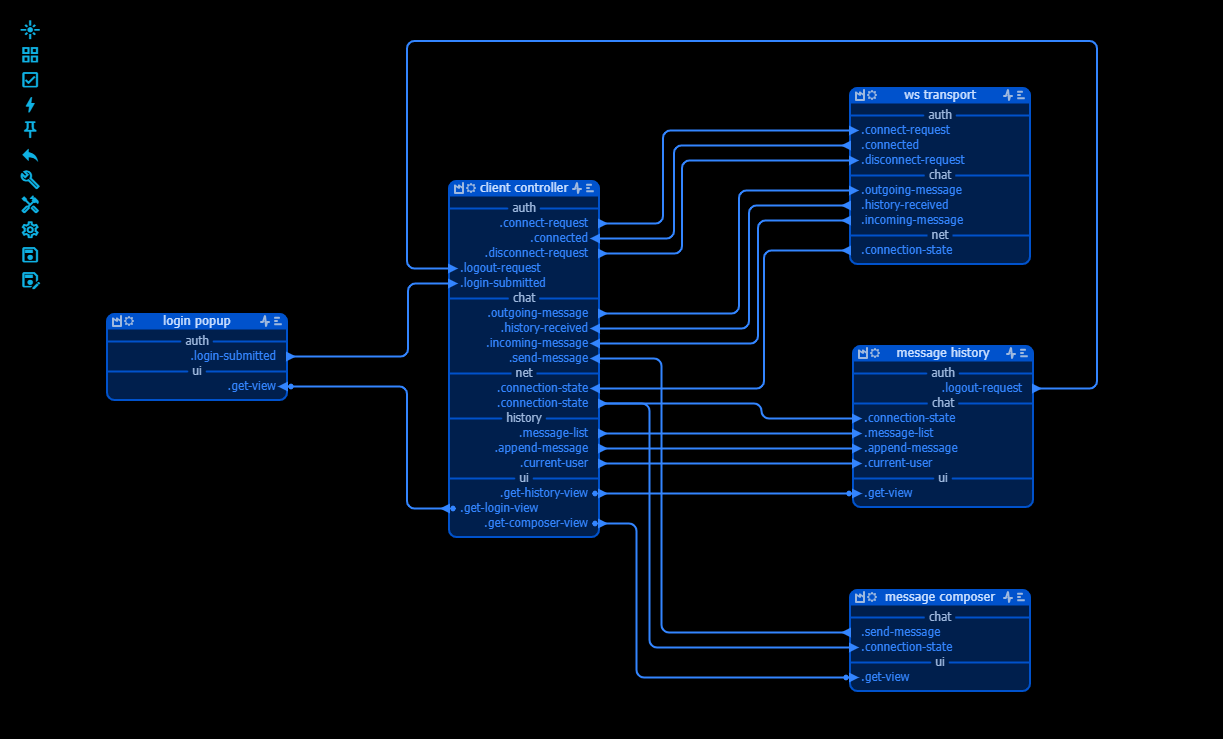
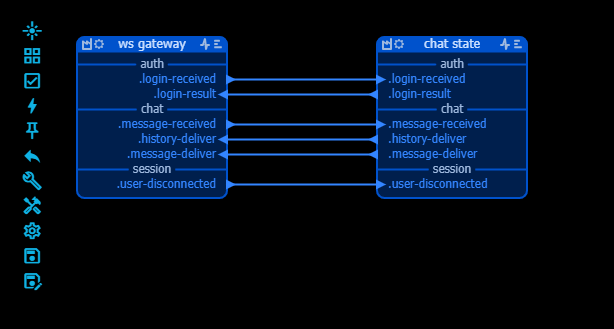
▞ Chat application
The chat application consists of two models: one for the client, running in the browser, and one for the server, a node.js application. Here you can have a look at the model files for both. This application was also used as the tutorial
▞ Solar System - human version
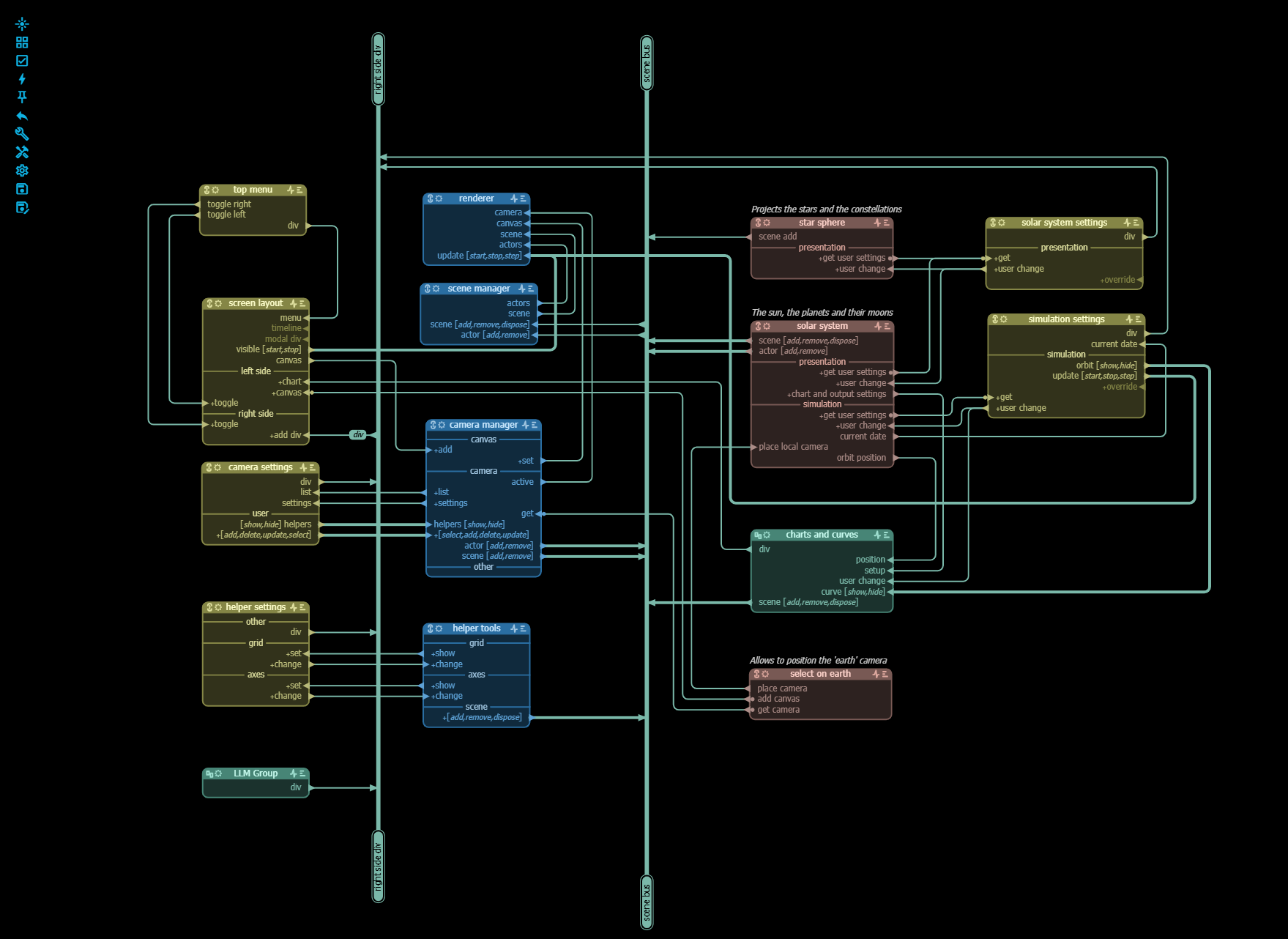
We know, we know - hardly original but it's an example that doesn't need a lot of explaining but is sufficiently complex to be interesting.
In this first version, the human has made the architecture of the app and the coding agent was used for doing most of the coding.
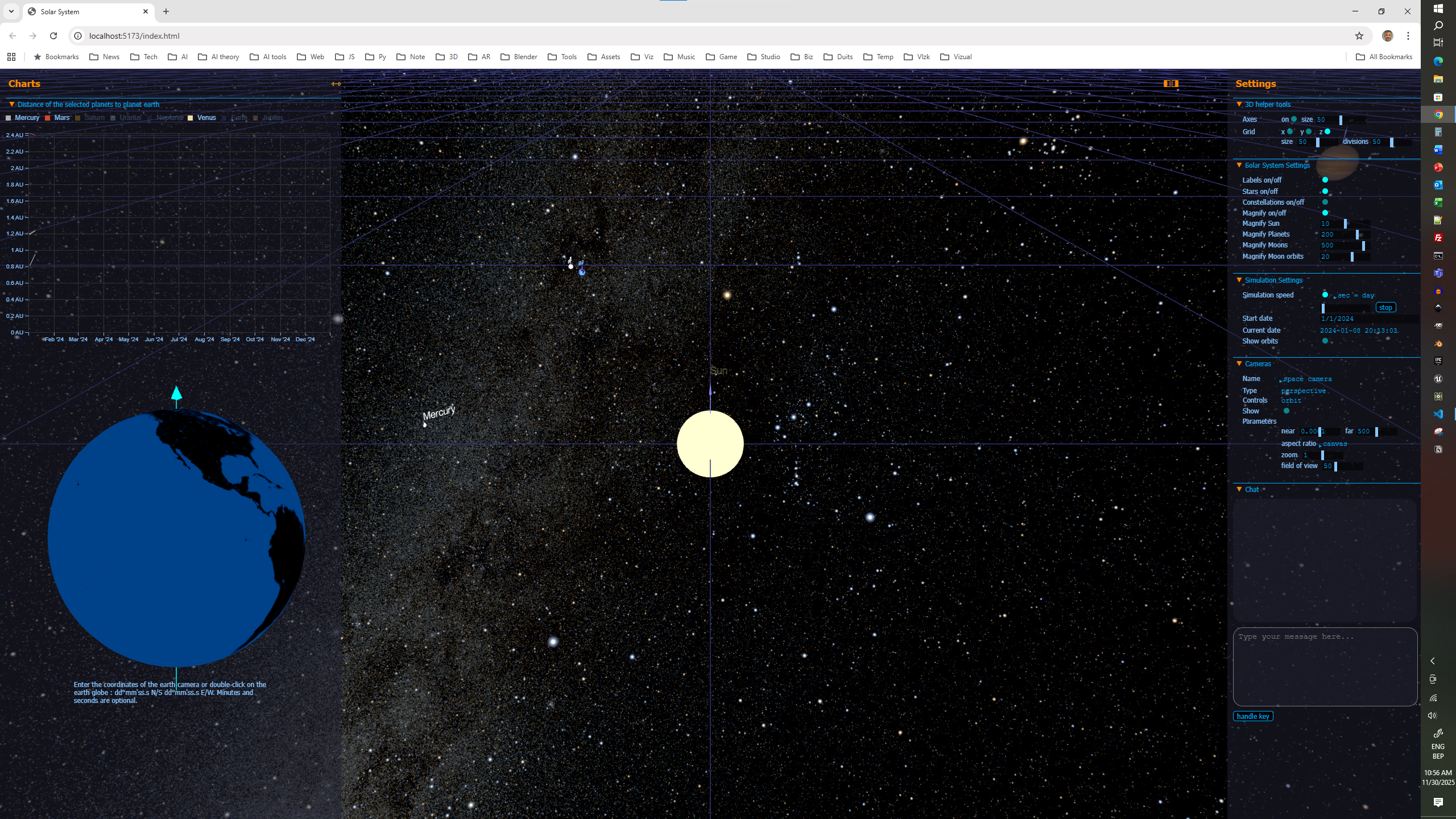
You can also run this application, most of the settings are self-explanatory and if you want to dive deeper, download the examples repo.
It is very much a 'classic' app with an extensive user interface to set the parameters of the simulation, define cameras etc, but there is an LLM interface window added to the UI. That window can work with Chat GPT, but you have to add your own API key. The API key is stored in the local web browser only (localStorage) and can be deleted. If hesitant, check the source.
There is a node for each planet and moon in the solar system, which is a reasonable design choice, but it's probably better to simply have a node for the solar system as a whole with an array of planets.
The classic user interface works, but as UI's usually do, requires clicking, typing and selecting, which can be tiresome.
▞ Solar System - agent version
▞ The vmblu app
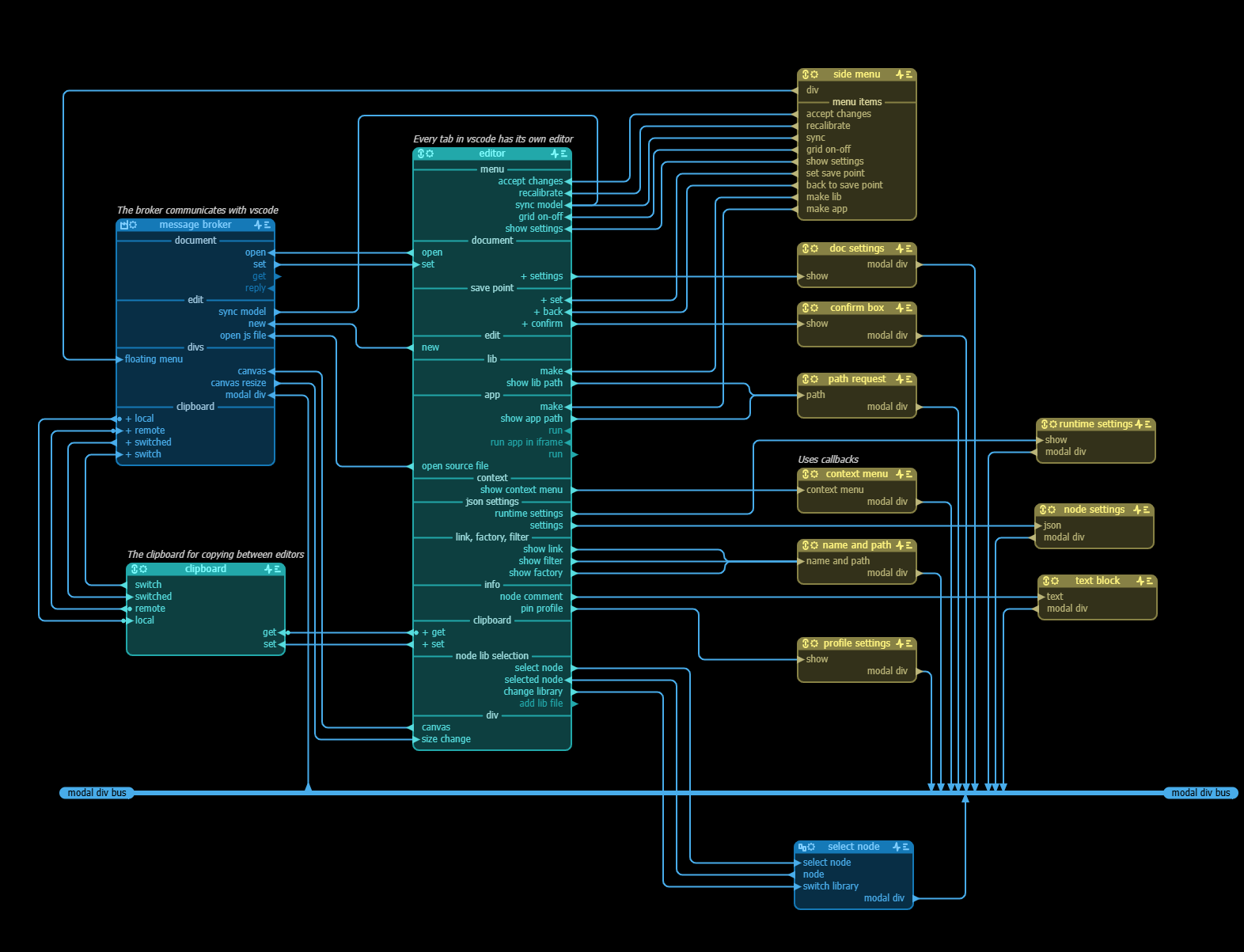
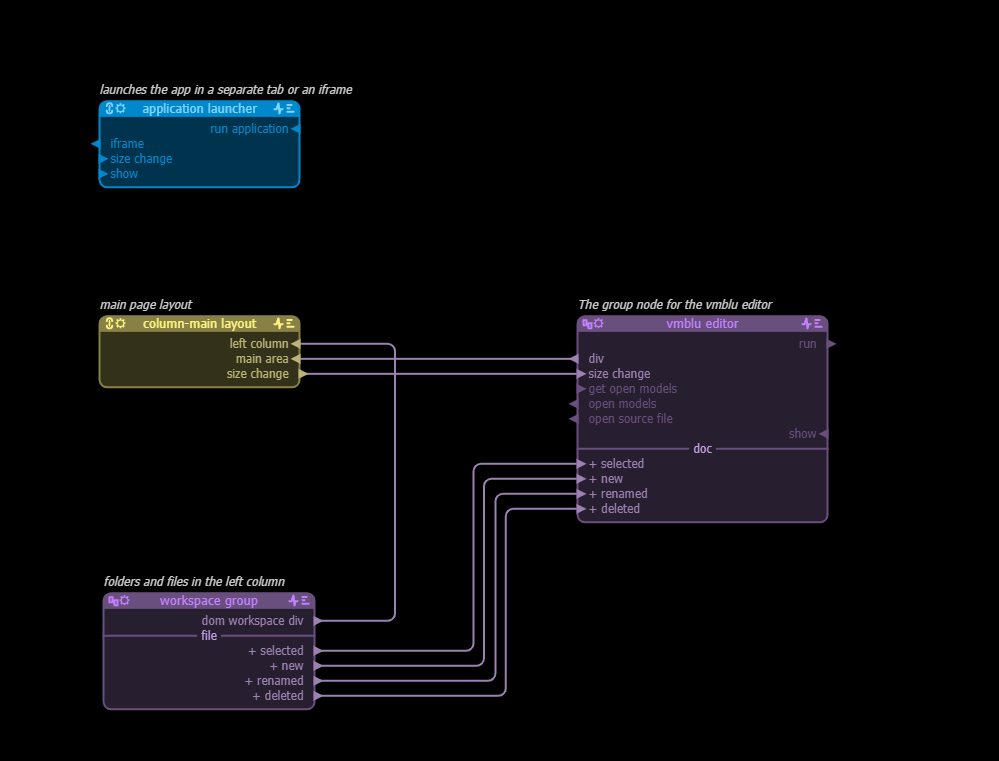
The first versions of vmblu were obviously not written with vmblu, but as soon as the vmblu editor became a viable product, the editor itself was remodelled using vmblu. The main purpose of the rewrite was to cleanly separate the different functions of the editor: the UI, the document management, clipboard handling, selecting from node libs etc. It proved to be an enormous advantage when making different versions of the editor: only some nodes had to be swapped.
In vscode document management, copying between documents etc. is done completely different from how it is done in the browser. With the vmblu architecture however, all that needed to be done was to write nodes to handle these specifics without even touching the core nodes that implement the functionality of the editor.
There was no need however to change the core architecture of the editor itself, that is why there is still one big node that implements the editor functionality. That in itself is not bad, if a certain type of functionality is better written in a tight, connected way, it is ok to put that in one single node iso breaking it artificially up in smaller nodes. But if we were to refactor the editor again, we would probably break it up in two or three nodes, for example a node for handling the clicks, selections, drawing etc. and a node to do/undo the actual changes to the document.
The first vmblu file, webview.vmblu, is the architecture of the vscode extension based the webview design pattern, hence the name.
The second file is the vmblu architecture of the playground version, which you are using on this site to look at vmblu files. The playground version has its own simple workspace node for document handling, but for the rest uses exactly the same nodes as the vscode version.